
Last updated: April 2026
Your CEO is halfway through the quarterly earnings update. Two hundred employees are in the ballroom. Two thousand stakeholders, board members, and financial analysts are watching the livestream. At minute eighteen, the audio feed to the stream cuts out for ninety seconds. In the room, nobody notices. On the stream, the board is watching a silent CEO move her hands while your investor relations lead is on Slack asking what happened.
Hybrid event production is broadcast production with a live audience in the room. It is not a Zoom call with a stage, and it is not a corporate event with a streaming link bolted on at the end. The production decisions, including camera placement, audio routing, lighting for on-camera presenters, redundant streaming paths, and content design for two audiences, determine whether your virtual attendees stay engaged through the keynote or drop off while you are still working through opening remarks. This guide walks through what hybrid event production actually covers, what it costs, and how to evaluate vendors who claim they can deliver it. You will leave with a defensible production scope, budget ranges by event size, and the five hidden failure points that sink hybrid events.
What Is Hybrid Event Production?
Hybrid event production covers the audio, video, lighting, cameras, streaming infrastructure, and on-site crew that serve two simultaneous audiences at the same event: attendees in the room and attendees watching remotely. It includes broadcast-grade cameras, multi-camera switching, redundant encoders for streaming, stage lighting that reads on camera, and content design that works on both the in-room LED wall and the virtual audience’s laptop screen.
That scope is different from video conferencing, and it is different from basic livestreaming. A Zoom meeting with 200 people dialed in is not hybrid event production. A webinar attached to a corporate event is not hybrid event production. Hybrid event production treats the virtual audience as an equal audience, with its own camera angles, its own audio mix, its own moderation, and its own production standards. The in-room experience does not compromise, and the virtual experience is not an afterthought.
For corporate event planners comparing vendor proposals, the scope distinction matters. A rental company may quote you cameras and a streaming encoder. A production partner quotes you cameras, encoders, on-site switchers, audio engineers, graphics operators, streaming platform setup, virtual audience moderation, rehearsal time with presenters, and redundant everything. How those pieces sit alongside registration, the event app and the rest of your event technology stack is a decision worth making early. The price difference reflects whether you are running a broadcast or running a recording.
The Hybrid Event Production Stack
The technical stack for hybrid events has five layers. Each one has failure modes that most in-house AV teams have not seen until something goes wrong. Understanding what sits in each layer helps you ask the right questions when evaluating production partners.
Cameras and switching. Hybrid events typically run three to six broadcast cameras minimum: one wide shot of the stage, two to three operator cameras on presenters, one audience camera for reaction shots, and often one slide or content camera. A multi-camera switcher (usually a dedicated broadcast switcher like a Blackmagic ATEM or Ross Carbonite) cuts between feeds in real time during the event. This is the difference between a stream that looks like professional television and one that looks like a security camera pointed at a podium.
Audio routing. Audio is where most hybrid events fail invisibly. The in-room audience hears the room mix: the speaker’s voice, the ambient room tone, and whatever else is live. The virtual audience needs a different mix: the speaker’s voice at broadcast levels, Q&A from virtual attendees mixed back into the room, and almost no room tone because it sounds muddy on camera. This requires separate audio paths, often with a dedicated broadcast audio engineer, not the same engineer who is mixing for the ballroom speakers.
Encoding and streaming. The encoder converts your switched video feed into a streaming signal that gets pushed to your platform (YouTube Live, Vimeo, a branded streaming site, or an event tech platform like Cvent or Bizzabo). Professional hybrid events run two encoders in parallel, one primary and one backup, on separate internet connections if possible. An encoder failure during a live event is catastrophic if there is no redundancy, and it happens more often than event teams expect.
Network infrastructure. Your venue’s house wifi is almost never acceptable for broadcast streaming. Professional hybrid events run dedicated ethernet circuits or bonded cellular solutions. Upload bandwidth requirements for the livestream itself are modest at most platforms, typically 5 to 15 Mbps for a 1080p multi-camera broadcast-quality feed. The larger network demand is internal: ingest from multiple camera and audio feeds into the control room, which can consume 50 Mbps or more inside the production network. Venue IT coordination weeks in advance is often needed, sometimes with a dedicated fiber line for multi-day or high-stakes events.
Graphics and content. What the virtual audience sees on their screen is not the same as what the in-room audience sees on the LED wall. Virtual feeds need lower-third name keys, presenter graphics, real-time chat overlays, and often a picture-in-picture view that shows the speaker alongside their slides. A graphics operator runs these in real time from the control room. Without one, your stream looks like a zoom webinar instead of broadcast television.
Designing the Live Experience for Both Audiences
Here is where hybrid event production separates from both live event production and streaming production. The live audience and the virtual audience have different needs, and designing for only one of them makes the other one bad.
Stage lighting for broadcast. In-room events typically use warm theatrical lighting that looks great to the human eye and creates room atmosphere. Broadcast lighting is different: it needs higher light levels on presenters (typically 100 to 115 foot-candles for broadcast-grade video), consistent color temperature (4,400K to 5,600K for accurate skin tones on camera), and no hot spots or shadows on presenters’ faces. Many hybrid events compromise by using lighting that is wrong for both audiences: too bright for an intimate room, too warm and uneven for cameras. Getting it right for both requires a lighting designer who has done broadcast work, not just corporate stages. For deeper context on broadcast-grade lighting, see our corporate event lighting guide.
Camera-aware presenter coaching. Presenters who are used to speaking to a live audience often forget the camera exists. They turn their back to the stream to gesture at the LED wall, they speak quietly because the room mic is picking them up fine, or they address questions to in-room attendees while 2,000 virtual attendees wait for eye contact that never comes. Professional hybrid events include presenter coaching during tech rehearsals, with on-camera feedback so presenters can see what the virtual audience sees. Thirty minutes of rehearsal saves the CEO from staring at the wrong camera for the entire keynote.
Content design for dual screens. An LED wall in a ballroom is bright, high-resolution, and viewed from 20 to 60 feet away. A virtual attendee’s laptop screen is small, lower-resolution, and two feet from their face. Content designed for the LED wall (large imagery, minimal text, cinematic pacing) often fails on the virtual feed (text too small to read, pacing too slow, visual density too low). Professional hybrid events design content twice, or use a virtual-feed version that includes picture-in-picture of the presenter alongside higher-resolution slides. Your LED video wall rental anchors the in-room experience, but the virtual feed needs its own content treatment.
Q&A and engagement tools. In-room Q&A is natural: attendees line up at mics, the speaker responds, everyone hears it. Virtual Q&A requires moderation. Someone has to monitor the chat or Q&A tool, surface good questions to the presenter, filter out noise, and keep the virtual audience engaged during transitions. Without a dedicated virtual moderator, the virtual audience sits silent, disengages, and drops off. This role is almost always cut from budget-constrained events, and it is almost always a mistake.
One real-world check: ask any hybrid event production vendor how they handle virtual audience engagement during transitions and breaks. If the answer is “they can just watch the stream,” they are running a broadcast, not a hybrid event. Good production partners have specific answers about B-roll, sponsor content, virtual networking breaks, and moderated chat.
Hybrid Event Production Costs by Event Size
Hybrid event production budgets depend on how many cameras, how complex the streaming infrastructure, how many presenters, and how long the event runs. The ranges below are practitioner estimates based on current production rates, not published industry benchmarks. They cover cameras, switching, audio, lighting, encoding, streaming, and on-site crew. Venue AV, presenter coaching, and platform licensing are typically additional.
Production Budget Ranges by Event Size
| In-Room Audience | Virtual Audience | Production Scope | Budget Range (Single Day) |
|---|---|---|---|
| 50-100 | 200-500 | 2 cameras, basic switching, single encoder | $8,000-$18,000 |
| 100-300 | 500-2,000 | 3-4 cameras, broadcast audio, redundant encoders | $18,000-$35,000 |
| 300-750 | 2,000-5,000 | 4-5 cameras, full broadcast crew, virtual moderation | $35,000-$65,000 |
| 750-1,500 | 5,000-15,000 | 5-6 cameras, theater-style production, dedicated streaming team | $65,000-$120,000 |
| 1,500+ custom | 15,000+ | Full broadcast production, multi-session, branded streaming | $120,000-$300,000+ |
Several factors move these numbers up or down in practice. Multi-day events extend crew hours and equipment rental. Multi-session events (concurrent breakouts streamed separately) multiply the camera and encoder requirements per track. Branded streaming platforms (custom-built streaming pages vs. using YouTube or Vimeo embed) add development cost. Ask whether your streaming platform fees are included; most production quotes exclude platform licensing.
For corporate event managers comparing hybrid to in-person: hybrid production typically adds 40 to 60 percent to what the same event would cost as in-person only. The premium reflects the parallel production infrastructure serving the virtual audience. Treating hybrid as “a little extra for streaming” is how budgets get blown mid-event when your broadcast crew arrives and the scope does not match what was quoted.
What is commonly excluded from initial quotes: streaming platform licensing and build-out, virtual audience moderation staff, content creation for virtual-specific feeds (lower thirds, graphics packages), presenter coaching and rehearsal hours, and post-event video editing for on-demand replay.
Five Hidden Failure Points in Hybrid Events
Most hybrid event failures are invisible to the in-room audience and devastating to the virtual one. Design against these five before they happen to you.
1. Audio dropping on the stream only. The in-room audience hears the speaker fine because the PA is live. The virtual audience hears silence because the feed to the encoder is broken. This failure can last minutes before anyone notices, because the people running the room are listening to the room. Prevention: dedicated audio monitoring on the broadcast mix, plus an audio engineer whose only job is the broadcast feed.
2. Camera white balance mismatch. When multiple cameras are not calibrated to the same color temperature, every camera cut looks like a new event. Skin tones shift, the LED wall behind the presenter changes color, and the stream looks amateurish. Prevention: camera calibration during tech rehearsal, with the actual stage lighting on. Not in a back room, not the day before.
3. Virtual audience chat moderation gap. Your virtual audience is typing questions, reactions, and confusion in real time. Without someone monitoring and moderating the chat, questions go unanswered, the conversation drifts off-topic, and virtual attendees disengage. Prevention: a dedicated virtual moderator with a direct line to the stage manager and presenter.
4. Encoder failure with no backup. A single encoder is a single point of failure for the entire broadcast. When it fails (and they do fail, from overheating, network glitches, or software crashes), your stream goes dark until someone reboots it. Prevention: two encoders running in parallel on separate network paths, with an automatic or manual failover.
5. Content illegibility on the virtual feed. Slides designed for a 16-by-9-foot LED wall often have text too small to read on a laptop. Video content designed for room viewing looks blurry on the stream. The virtual audience gets frustrated and disengages. Prevention: design content with both audiences in mind, and preview slides on a laptop-sized screen before the event.
None of these failures are expensive to prevent during planning. All of them are expensive to fix during an event, and some of them cannot be fixed once they happen.
Accessibility and Recording Consent for Hybrid Events
Hybrid events that include remote attendees trigger compliance requirements that pure in-person events do not. Most corporate production teams treat these as an afterthought, which creates legal exposure and a poor experience for attendees who depend on accessibility features.
Accessibility. Hybrid events must align with WCAG 2.1 and ADA standards for digital accessibility. At minimum, this includes live captioning (either AI-generated with a human quality-check workflow, or fully human-captioned for high-stakes events), accessible video player controls, keyboard navigation for the virtual platform, and screen reader compatibility. For mandatory corporate events (compliance trainings, town halls with legal weight, disciplinary proceedings), human captioning is the recommended standard. AI captioning is acceptable for most informational events, but only if there is an active process to catch and correct errors in real time.
Recording consent. Any hybrid event being recorded for on-demand replay needs to address recording consent, and the rules vary by state. One-party consent states (New York, Colorado, and most US states) require only one participant to know the recording is happening, which the event organizer typically satisfies by announcement. All-party consent states (California, Florida, Washington, Illinois, and several others) require every participant to affirmatively consent to being recorded. For corporate events with employees, customers, or vendors from mixed jurisdictions, default to all-party consent practices. A recording notice at registration plus a verbal announcement at event open is the low-friction standard.
Platform data and privacy. Virtual attendee data flows through whatever hybrid event platform you use. For corporate events with international attendees, that data flow may trigger GDPR (EU attendees) or similar regional privacy requirements. Confirm with legal before selecting the platform, not after the event is built.
These requirements are not optional and not hard to address when planned in advance. Building them into the event 12 weeks out takes a one-hour meeting. Retrofitting them two weeks before the show causes real problems.
How to Choose a Hybrid Event Production Partner
The hardware for hybrid events is reasonably standardized. The service is not. A good hybrid event production partner treats the broadcast as its own production, not as an add-on to the in-room show.
Here are the eight questions that separate hybrid event production partners from companies selling you cameras and a streaming service. Ask them in writing; the answers tell you whether your event will look like television or like a Zoom webinar with better lighting.
- How many hybrid events have you produced in the last 12 months? Not streamed events. Not recorded events. Hybrid events with simultaneous in-room and virtual audiences. If the answer is fewer than six, ask what shows they were.
- Do you provide a dedicated broadcast audio engineer separate from the room audio engineer? If they do not, your broadcast audio is a secondary concern to whoever is mixing the room.
- What is your encoder redundancy setup? The answer should include two encoders, two network paths, and a specific failover plan. “We have a backup if needed” is not a plan.
- How do you handle virtual audience engagement during transitions? Professional partners have specific answers about moderated chat, B-roll, sponsor loops, and virtual networking. Vendors who run broadcasts do not.
- Can you provide streaming platform recommendations or work with our existing platform? Good partners are platform-agnostic and can work with Cvent, Bizzabo, YouTube Live, Vimeo, or custom-built streaming pages. Lock-in to one platform is a red flag.
- What is included in presenter coaching and tech rehearsal? A dedicated rehearsal where presenters see themselves on camera is the professional standard. Coaching without on-camera feedback is incomplete.
- What graphics and content operators are included? Lower thirds, name keys, and real-time graphics require a dedicated operator. Without one, your stream has no visual branding beyond whatever is already on the LED wall.
- Who is my on-site production manager for the virtual audience? There should be one person whose entire job is the virtual experience, separate from the stage manager and the technical director. If it is the same person as the in-room production manager, virtual will lose.
If a vendor cannot answer these questions clearly, they are not a hybrid event production partner. They are a rental company with a streaming encoder.
Hybrid Event Production Planning Timeline
Hybrid events run on a 10 to 12 week planning cycle for events above 300 in-room attendees. Compressed timelines are possible for smaller events but cost more and reduce recovery time when something breaks. Here is the sequence that tracks with how professional hybrid events actually get built.
12 weeks out. Confirm event scope and audience split. The virtual audience size affects encoder and platform decisions. The in-room audience size affects room production, which affects what the cameras see. This is also the point to confirm accessibility requirements (captioning approach, platform compliance) and recording consent practices with legal. Integrate hybrid production requirements with your corporate event management framework. See our corporate event management guide for the broader planning sequence.
8 to 10 weeks out. Lock equipment specifications: camera count, switcher configuration, audio routing plan, encoder setup, streaming platform decision. Reserve broadcast inventory; hybrid equipment (especially broadcast switchers and fine-pitch LED for stage) books out during peak corporate event seasons.
6 to 8 weeks out. Content specifications go to your creative team. Separate content treatments for in-room LED (per our LED video wall rental guide) and virtual feed. Graphics packages, lower thirds, and brand assets get designed. Streaming platform build-out begins if using a custom-branded solution.
4 weeks out. Network infrastructure confirmed with venue IT. Dedicated ethernet or bonded cellular ordered if needed. Streaming platform is tested end-to-end with the production team, not just the vendor’s internal test.
2 weeks out. Technical rehearsals with the production team in their warehouse or the venue. Content is in final review. Presenter coaching begins, with on-camera rehearsal for anyone delivering keynotes. Broadcast audio and camera calibration are tested with stage lighting on.
Show week. Install, calibrate, rehearse, run, strike. Your production partner runs the broadcast from an on-site control room, with a dedicated broadcast director, audio engineer, graphics operator, and virtual moderator. Your in-room production team focuses on the room. The two teams coordinate but do not compete for attention.
For the broader AV planning framework applied to hybrid events, reference the AV checklist for events. For adjacent production disciplines like tradeshow and broadcast-heavy events, see our tradeshow production guide.
Frequently Asked Questions
What is a hybrid event?
A hybrid event is a corporate event or conference that serves two simultaneous audiences: people attending in person and people attending virtually via livestream or an event platform. Professional hybrid events treat the virtual audience as equal to the in-room audience, with broadcast-grade production and dedicated engagement for remote attendees.
How much does hybrid event production cost?
Hybrid event production costs range from $8,000 for small events with basic streaming to $300,000+ for enterprise multi-day broadcast productions. A typical mid-market corporate event with 300 in-room and 2,000 virtual attendees runs $35,000 to $65,000 for a single day, covering cameras, broadcast audio, redundant encoders, and full crew.
Do I need a separate platform for hybrid events?
Not always. You can stream hybrid events to YouTube Live, Vimeo, or a custom-branded streaming page, and use your existing event registration system. You only need a dedicated hybrid event platform (Cvent, Bizzabo, Hopin) if you require integrated virtual networking, session tracking, or virtual-specific engagement features beyond the livestream itself.
How do I keep virtual attendees engaged in a hybrid event?
Keep virtual attendees engaged with a dedicated virtual moderator, on-camera presenter coaching, content designed for the virtual feed (not just the in-room screen), moderated chat and Q&A, and intentional programming during breaks and transitions. Virtual attendees disengage fastest during moments when the in-room experience takes over and the stream becomes a passive viewing experience.
Can my in-house AV team run a hybrid event?
In most cases, no. In-house AV teams are typically optimized for in-room production and have not run parallel broadcast operations with redundant encoders, dedicated broadcast audio, and virtual audience moderation. Hybrid events require broadcast production experience that is a different discipline. Most organizations with regular hybrid events partner with specialized hybrid event production vendors.
Get the Right Hybrid Event Production Partner
Your hybrid event should do one job: make your executives and your message land equally with the audience in the room and the audience on the stream. Everything in this guide, from the broadcast stack to presenter coaching to encoder redundancy, exists to serve that outcome. The hardware is commoditized. The production partner is not.
Elite Multimedia provides hybrid event production for Fortune 500 corporate events, executive keynotes, and leadership summits from our Nashville base with capability for national venue coverage. Every hybrid engagement includes dedicated broadcast audio and graphics operators, encoder redundancy, presenter coaching during rehearsal, and a named virtual audience production manager for the full show.
Ready to discuss hybrid event production for your next event? Request a quote with your event date, in-room audience size, and target virtual audience. Same-day turnaround for standard requests.
About the Author
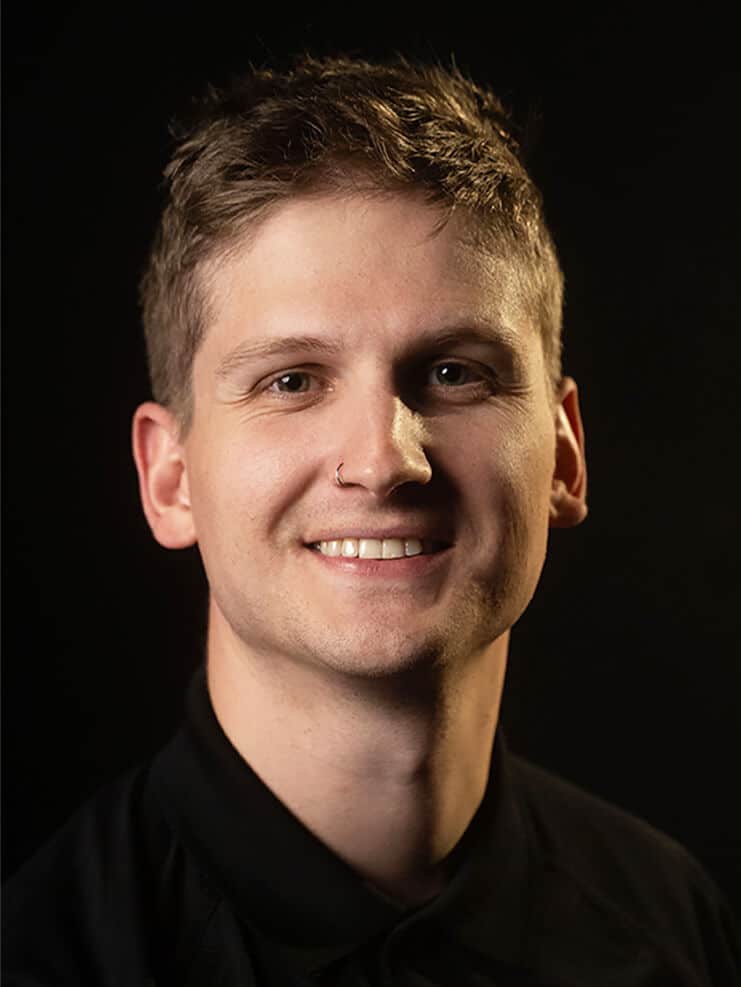
Ben Anholzer, Director of Account Management, Elite Multimedia
Ben Anholzer is Director of Account Management at Elite Multimedia, with 14 years in the industry. He has worked at every level of the chain, from dock tech and shop tech to live event tech, production manager and Account Manager, and he designs the interactive systems Elite builds for trade shows and corporate events.
Elite Multimedia has produced hybrid corporate events, executive keynotes, and leadership summits since 2009, with specialization in broadcast-grade streaming, LED video walls, and on-site production management for Fortune 500 clients.